NovaBlur
Cinematic motion blur in one click.
Add smooth, film-style motion blur to any shot in a single click — no keyframes, no manual masks, no fiddly settings. Give handheld and fast-motion footage that natural cinematic feel. Runs completely on your machine.
What it does
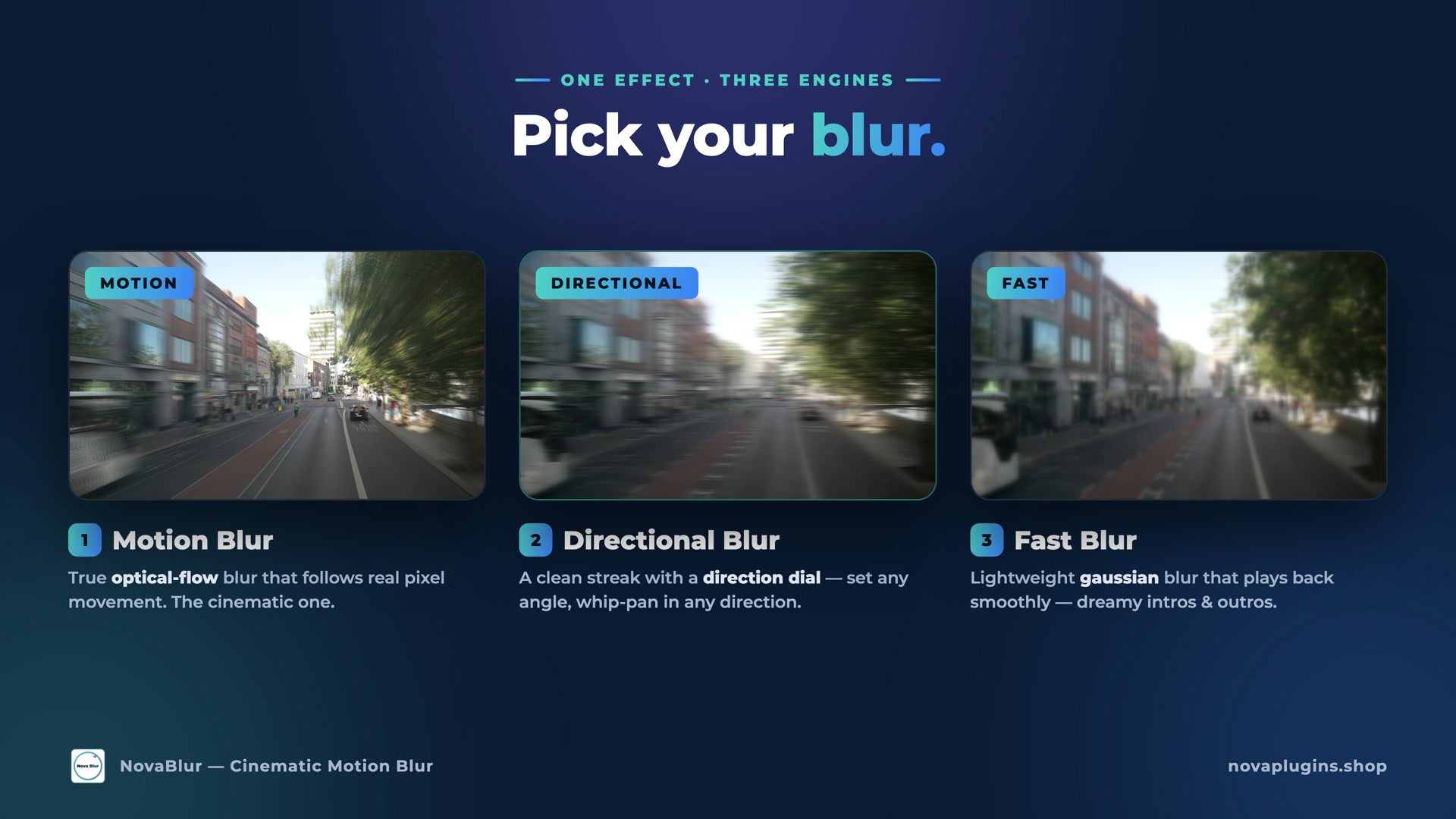
Three engines, one effect
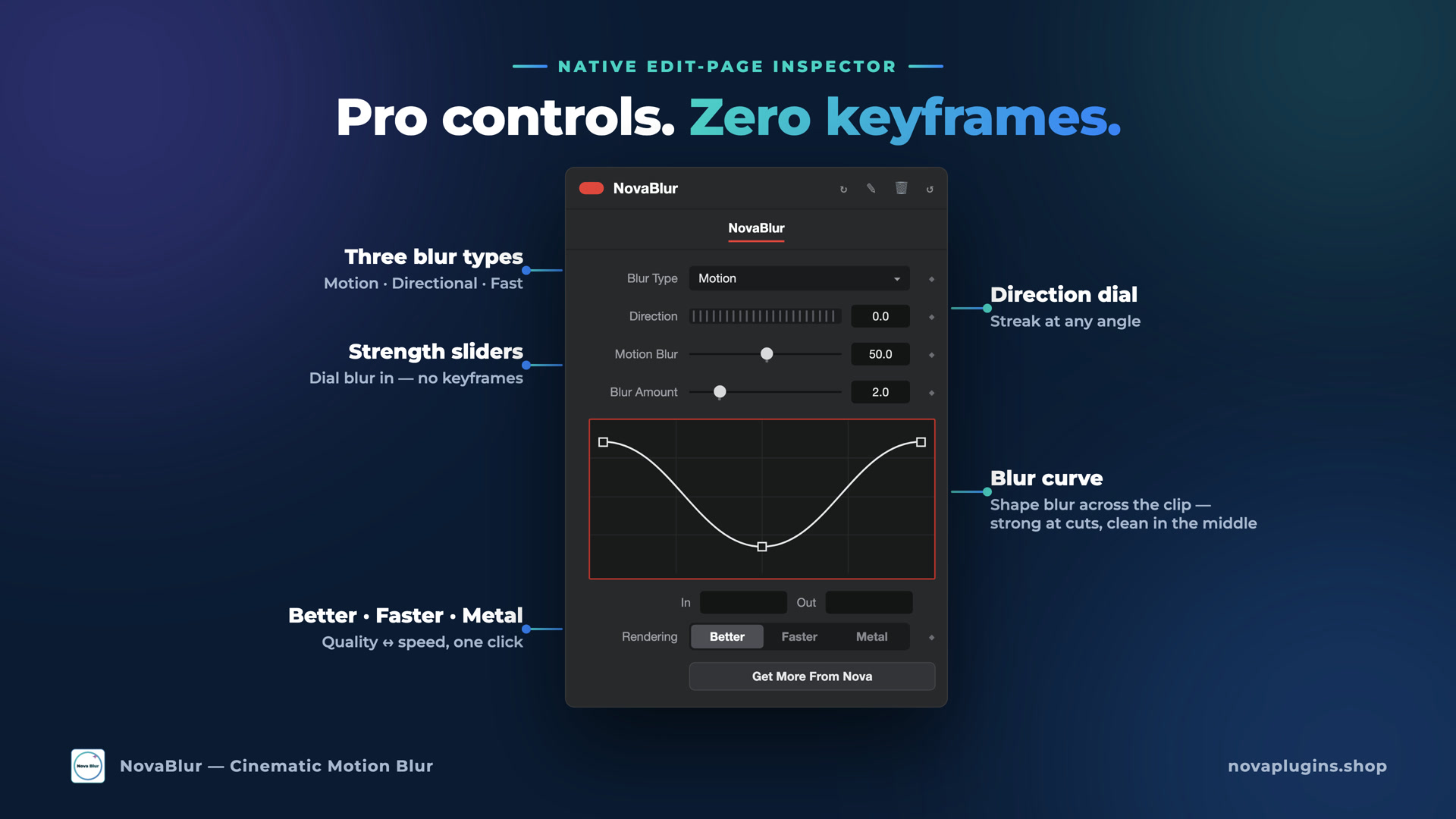
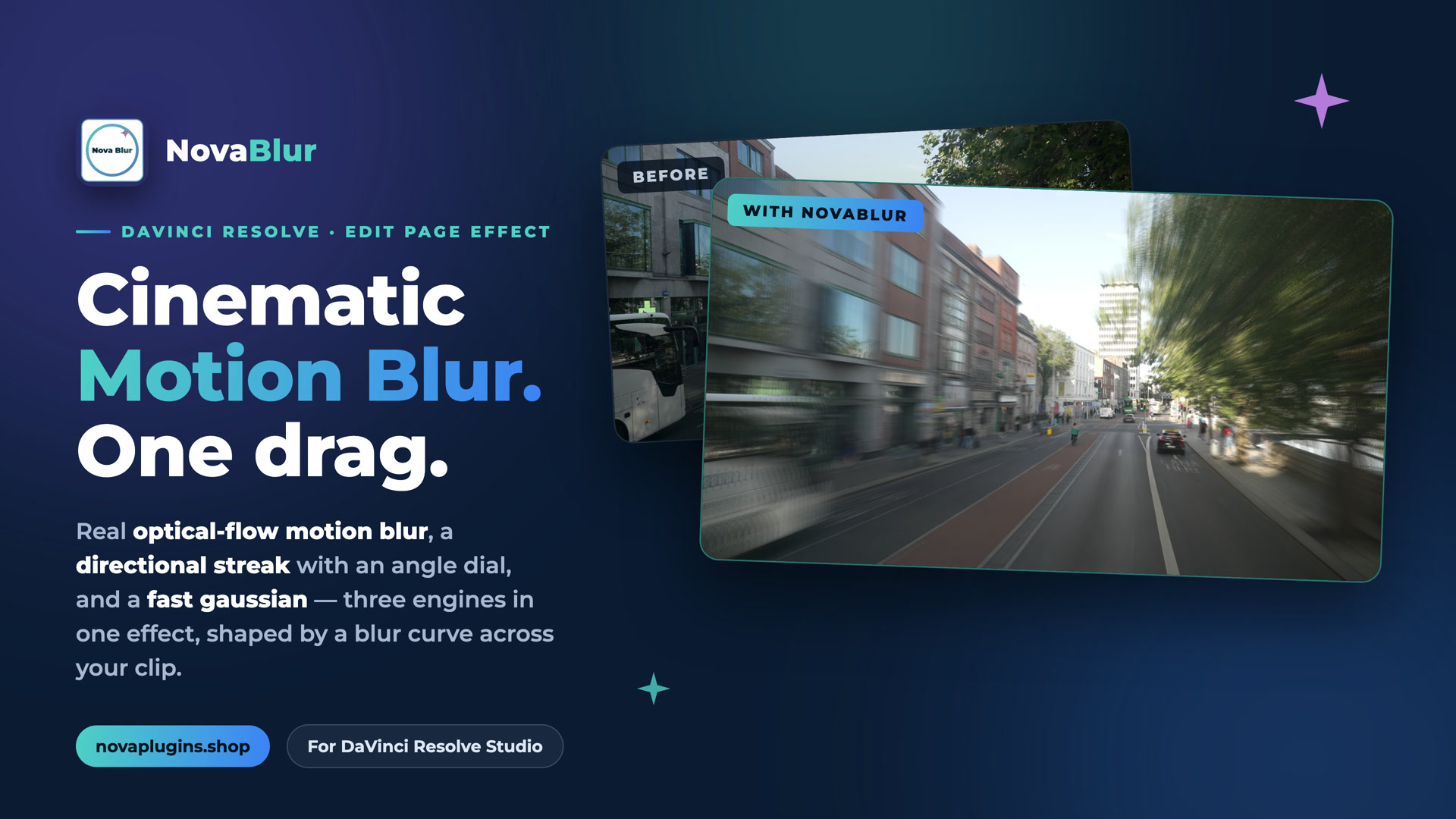
Motion — true optical-flow blur that follows real pixel movement, the cinematic one. Directional — a clean streak with a direction dial, whip-pan at any angle. Fast — a lightweight gaussian that plays back smoothly, for dreamy intros and outros.
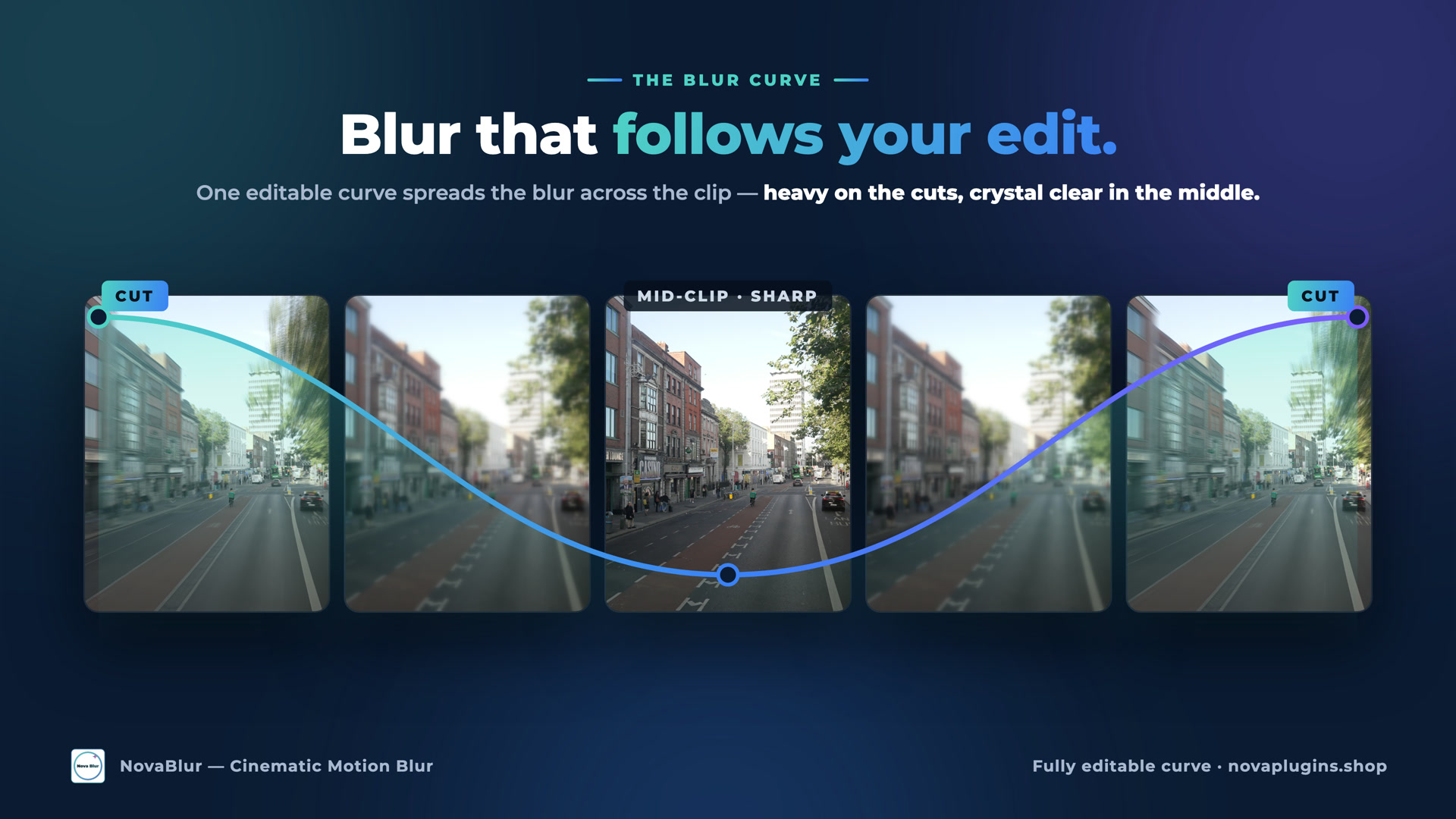
A blur curve that follows your edit
One editable curve spreads the blur across the clip — heavy on the cuts, crystal clear in the middle. Set it once and the whole clip reads like it was shot that way.
Pro controls, zero keyframes
Blur type, direction dial and strength sliders all live in Resolve's native Edit-page Inspector. Dial the look in by eye — no keyframing, no tracking, no masking by hand.
Quality or speed, one click
Switch rendering between Better, Faster and Metal to trade quality against playback speed — so you can rough it out fast and render it properly at the end.
See it in action
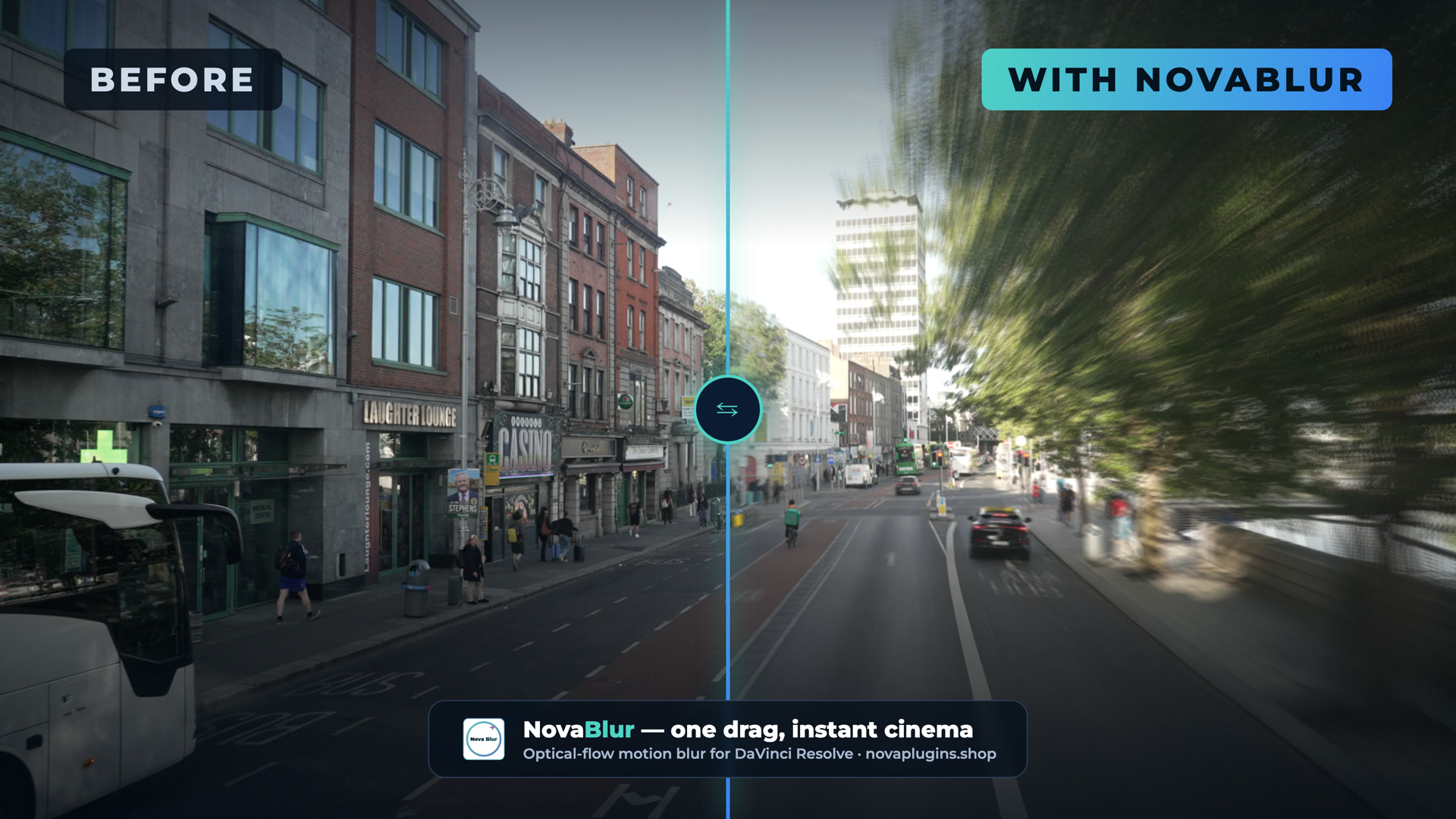
Three blur engines, an editable curve, and a before/after you can judge for yourself.
Reviews
No reviews yet — be the first to review NovaBlur.
FAQ
What do I get when I buy?+
A lifetime NovaBlur license — a one-time purchase (€20, currently 20% off the regular €25), no subscription — activatable on as many computers as you want, with free updates for life at no extra cost. Your key arrives by email instantly.
Refunds?+
14-day no-questions refund via Lemon Squeezy if it doesn't fit your workflow.
Which versions of Resolve will it support?+
DaVinci Resolve Studio 18 and above, on Windows, macOS and Linux. NovaBlur's optical-flow engine needs Studio — it won't run on the free edition.
Will it run offline?+
Yes — the work runs entirely on your machine. Only the one-time license activation needs internet.