NovaFilm
Real film look. One drag.
Scared of the colour page? You don't need it. Drag NovaFilm onto a clip on the Edit page and pick a look from one dropdown — real film grain, halation, bloom and gate weave, instantly. Ten cinematic presets, and a few simple sliders if you want to dial it in. That's the whole thing.
What it does
A real film look, not a filter
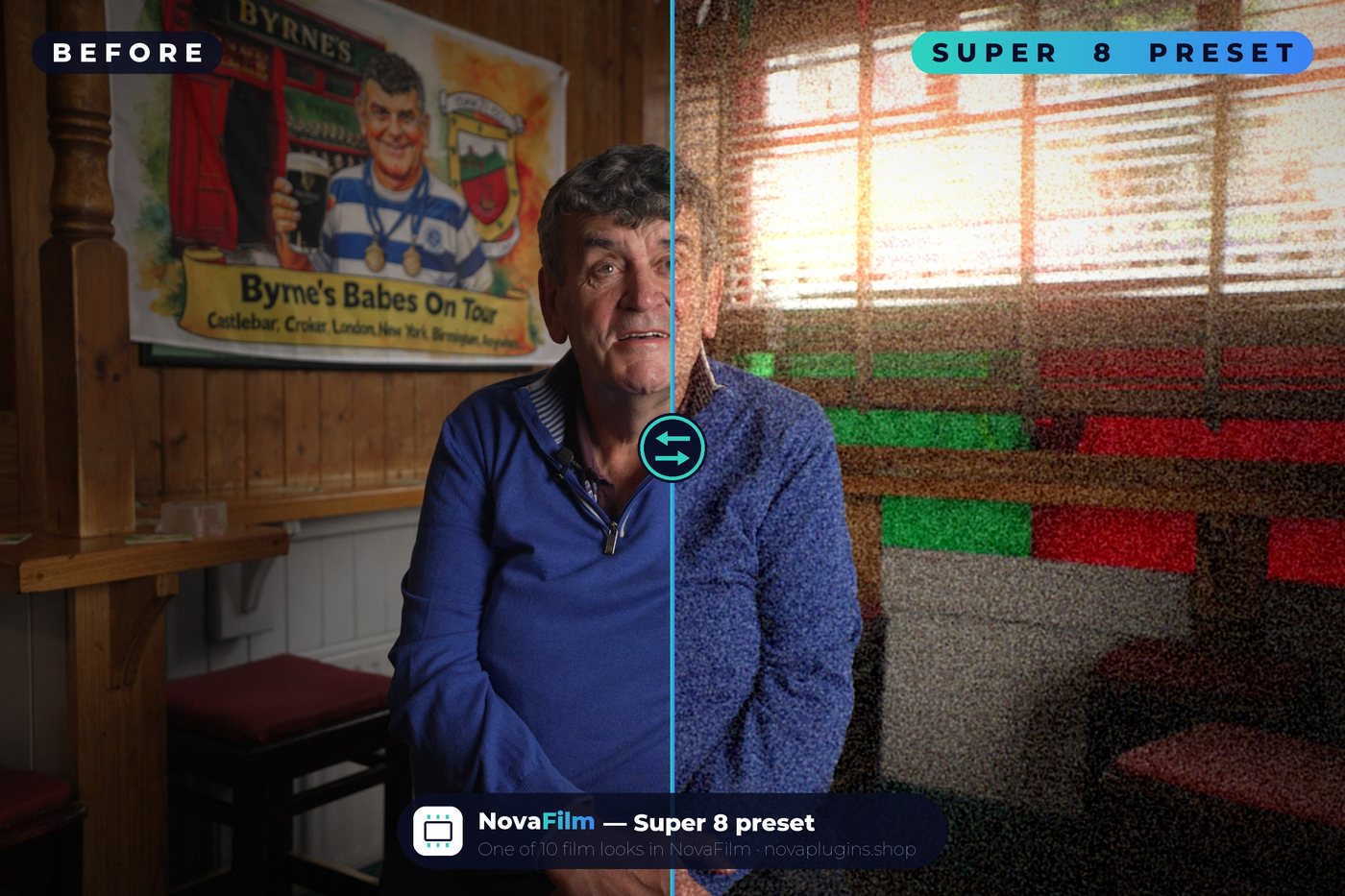
Actual film grain, halation (that soft glow bleeding off highlights), bloom and gate weave — the things that make footage read as film instead of a flat digital LUT slapped on top.
Made for people who avoid the colour page
No nodes, no scopes, no colour wheels. Drop it on the Edit page, choose a look, done. If the colour page scares you, this is the whole grade in one drag.
10 looks from one dropdown
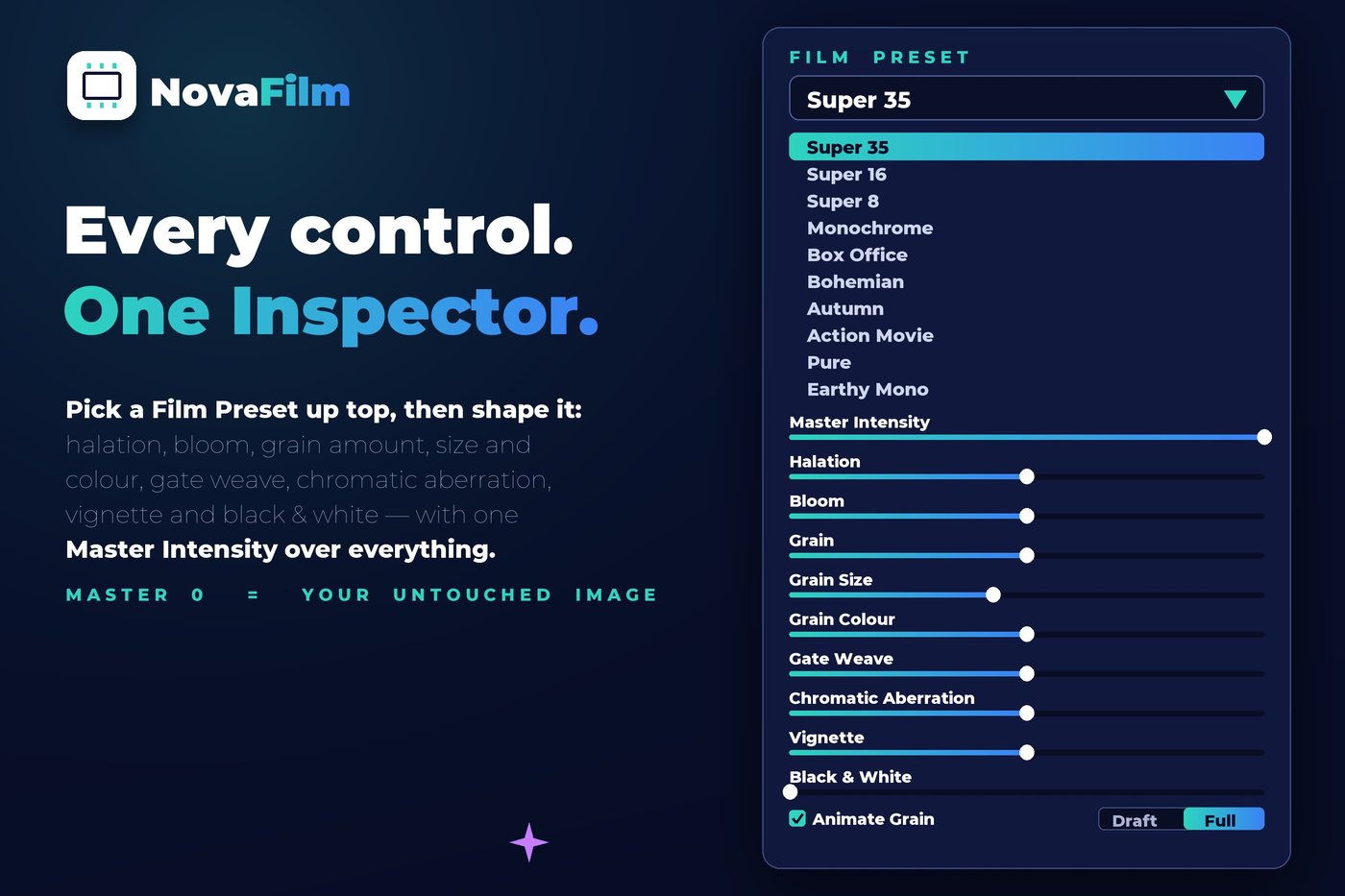
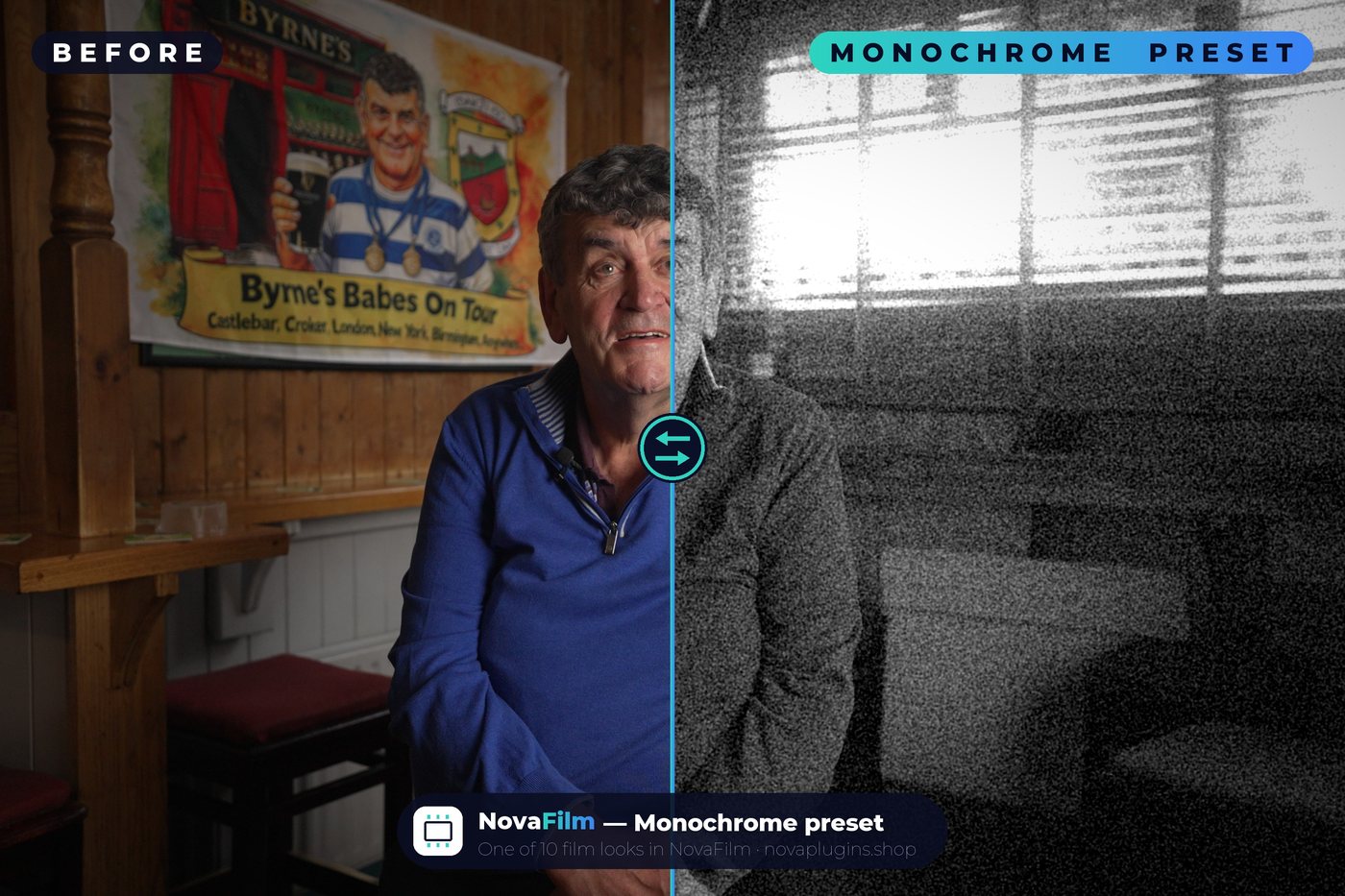
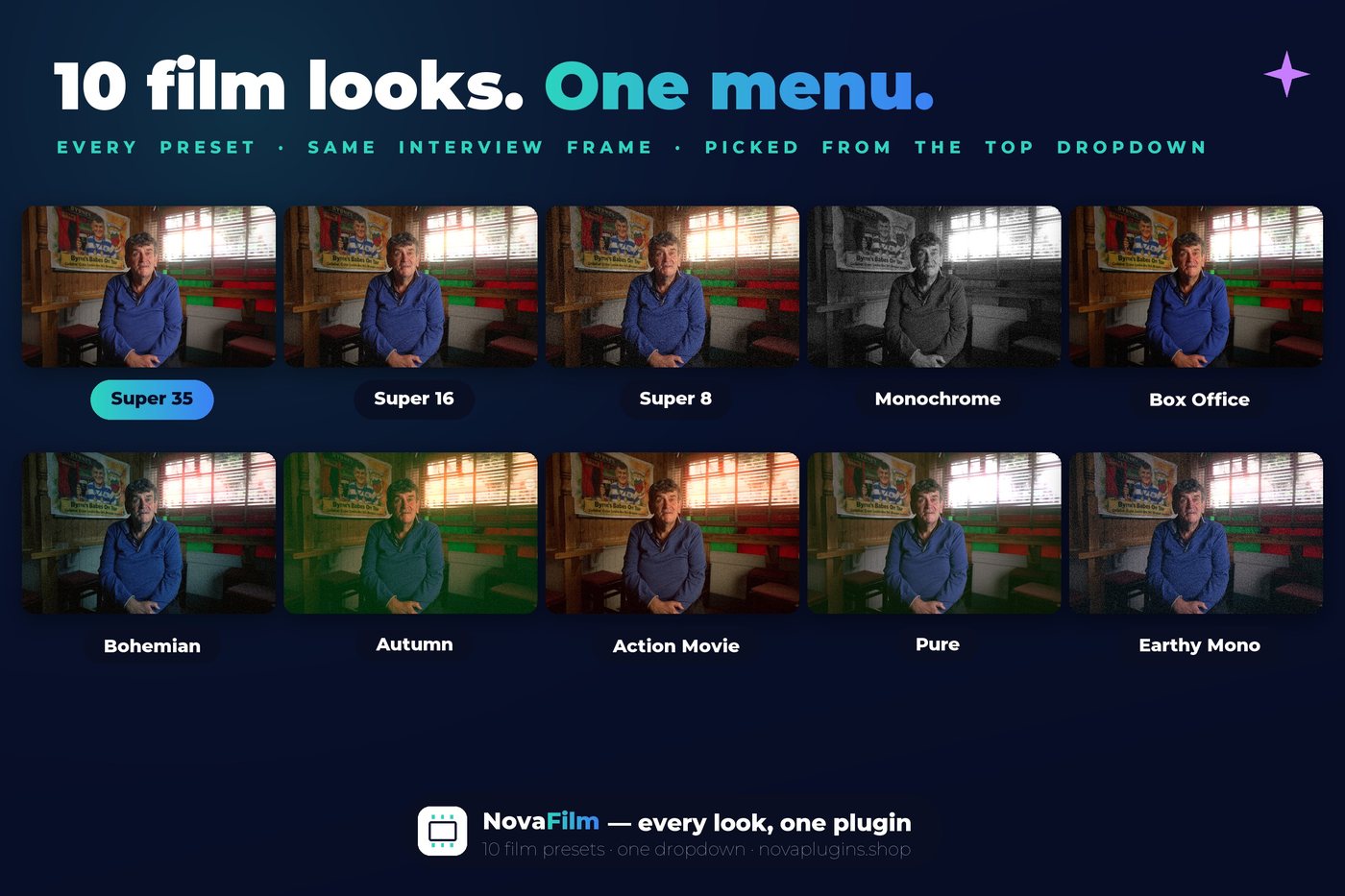
Super 35, Super 16, Super 8, Monochrome, Box Office, Bohemian, Autumn, Action Movie, Pure and Earthy Mono — switch between them from a single menu.
One master slider over everything
Master Intensity dials the whole look up or down from a single slider — at 0 you get your untouched image back, exactly. Under it sit halation, bloom, grain (amount, size, colour), gate weave, chromatic aberration, vignette and black & white, plus animate-grain and a Draft/Full quality switch. Touch them or don't.
See it in action
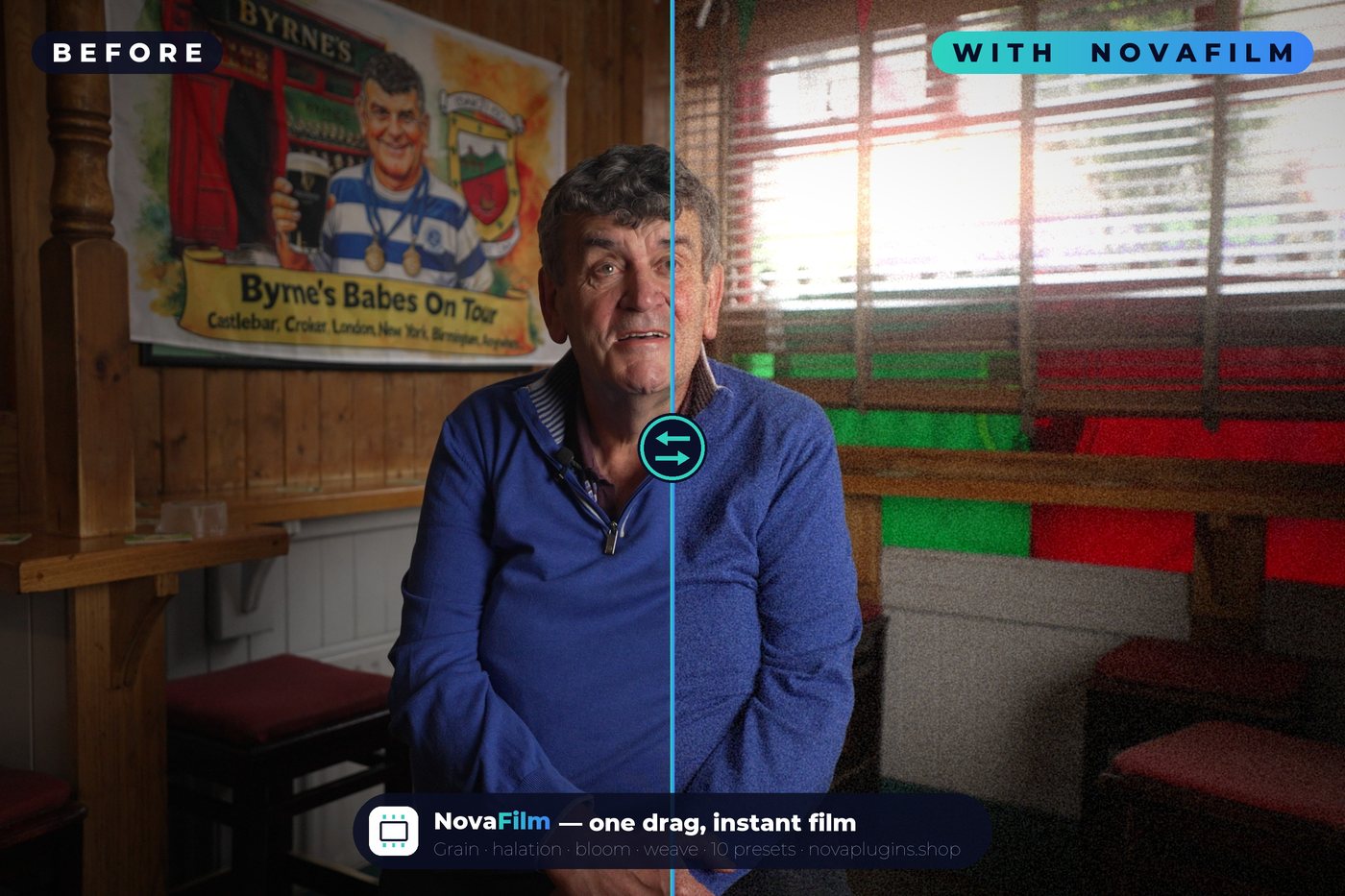
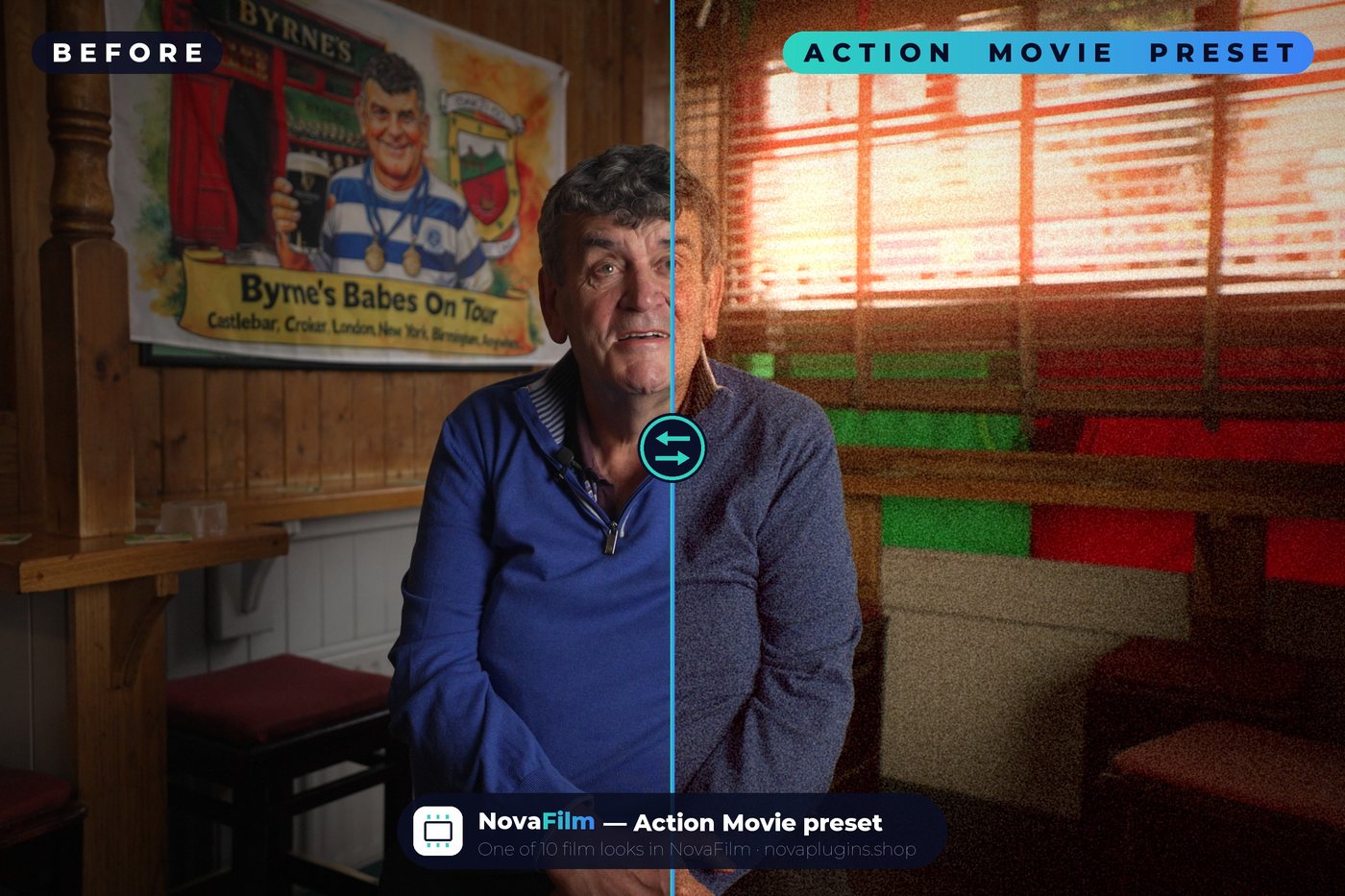
The same interview shot, transformed. Click any image to see it full-size.
10 looks, one menu
Every preset on the same frame — pick from the dropdown and your whole clip changes. Click to see them full-size.
How it works
Install
Run the installer, then restart Resolve. NovaFilm appears in your Effects library on the Edit page.
Drag it on
Drop NovaFilm straight onto a clip on the Edit-page timeline — no colour page, no nodes.
Pick a look
Choose one of the 10 presets from the dropdown in the Inspector. Nudge the sliders if you feel like it — or don't.
Reviews
No reviews yet — be the first to review NovaFilm.
FAQ
Do I need to know the colour page?+
No — that's the whole point. NovaFilm is an Edit-page effect: drag it onto a clip, pick a look from the dropdown, done. No nodes, no scopes, no colour wheels.
Does it work with the free version of Resolve?+
Yes. NovaFilm works in the free version of DaVinci Resolve as well as Studio, on macOS and Windows — no Studio licence needed.
What looks are included?+
10 presets: Super 35, Super 16, Super 8, Monochrome, Box Office, Bohemian, Autumn, Action Movie, Pure and Earthy Mono — each with film grain, halation, bloom and gate weave.
Can I adjust the look?+
Yes, but you don't have to. One Master Intensity slider scales the whole effect (at 0 your image is completely untouched), with individual sliders under it: halation, bloom, grain amount/size/colour, gate weave, chromatic aberration, vignette and black & white, plus animate-grain and a Draft/Full quality switch. Leave the preset alone or fine-tune it — up to you.
What do I get, and refunds?+
A lifetime NovaFilm license — one-time purchase (€10, currently 17% off the regular €12), no subscription. 14-day no-questions refund via Lemon Squeezy.